
Darwin
Contact Us
Customer Stories

Aegis-Context turns desktop context into relevant agent searches


Find specialist help for the current task using context the user chooses to share.

Developer project · Proposed Act workflow.

The build.

Aegis-Context is a Python desktop tool with a FastAPI bridge and an optional PyQt overlay. It calls Darwin Search with the requests library. Optional on-device screen interpretation uses Moondream2 through Ollama; the user chooses which context to share.

The brief

Aegis-Context uses remembered desktop context to identify the task in progress and suggest specialists who can help.

Finding the right capabilities

Darwin matches capabilities to a task summary selected by the user. Each candidate’s information requirements help the user decide what to share.

Coordinating the work

The chosen specialist could receive the approved brief and source material. Questions and revisions would return to the same task.

What comes back

A specialist response connected to the work that prompted it, with sources and unanswered questions available for review.

The plan, step by step

  1. 1

    Find help for the task.

    Editorial illustration of Agastya Todi at work on his project.

    Search. Match specialist capabilities to the user’s selected task summary.

    Act. Ask what the specialist needs before sharing any underlying desktop documents.

    Outcome. A specialist shortlist with information requirements for each candidate.
  2. 2

    Share the selected context.

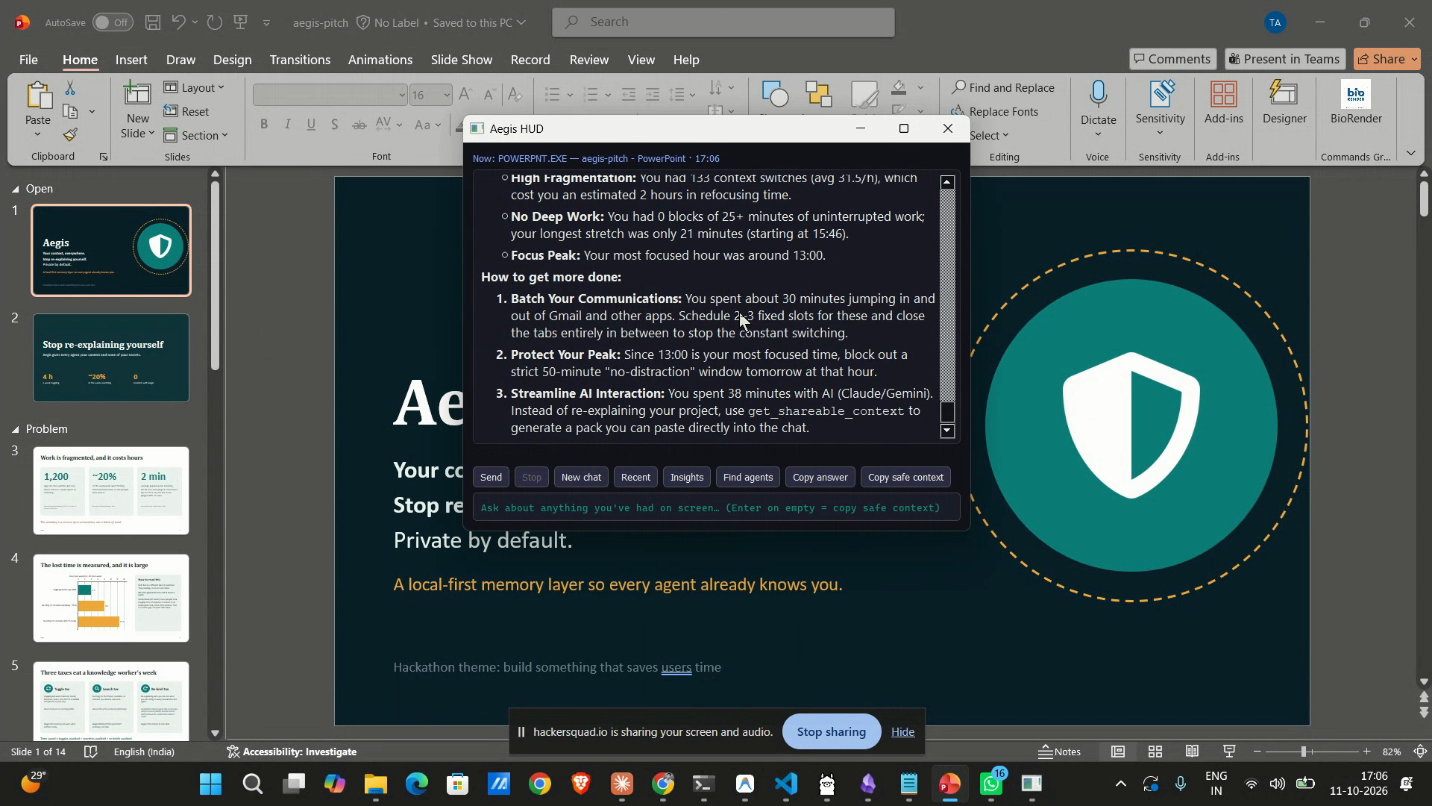
    The original Aegis HUD over a Windows PowerPoint session, showing work-context insights and Find agents and Copy safe context controls.

    Search. Choose a specialist whose capability matches the requested output.

    Act. Send the approved brief and sources, returning requests for more context to the user.

    Outcome. A specialist response with its request, approved sources, and unanswered questions.

  3. 3

    Bring the work back.

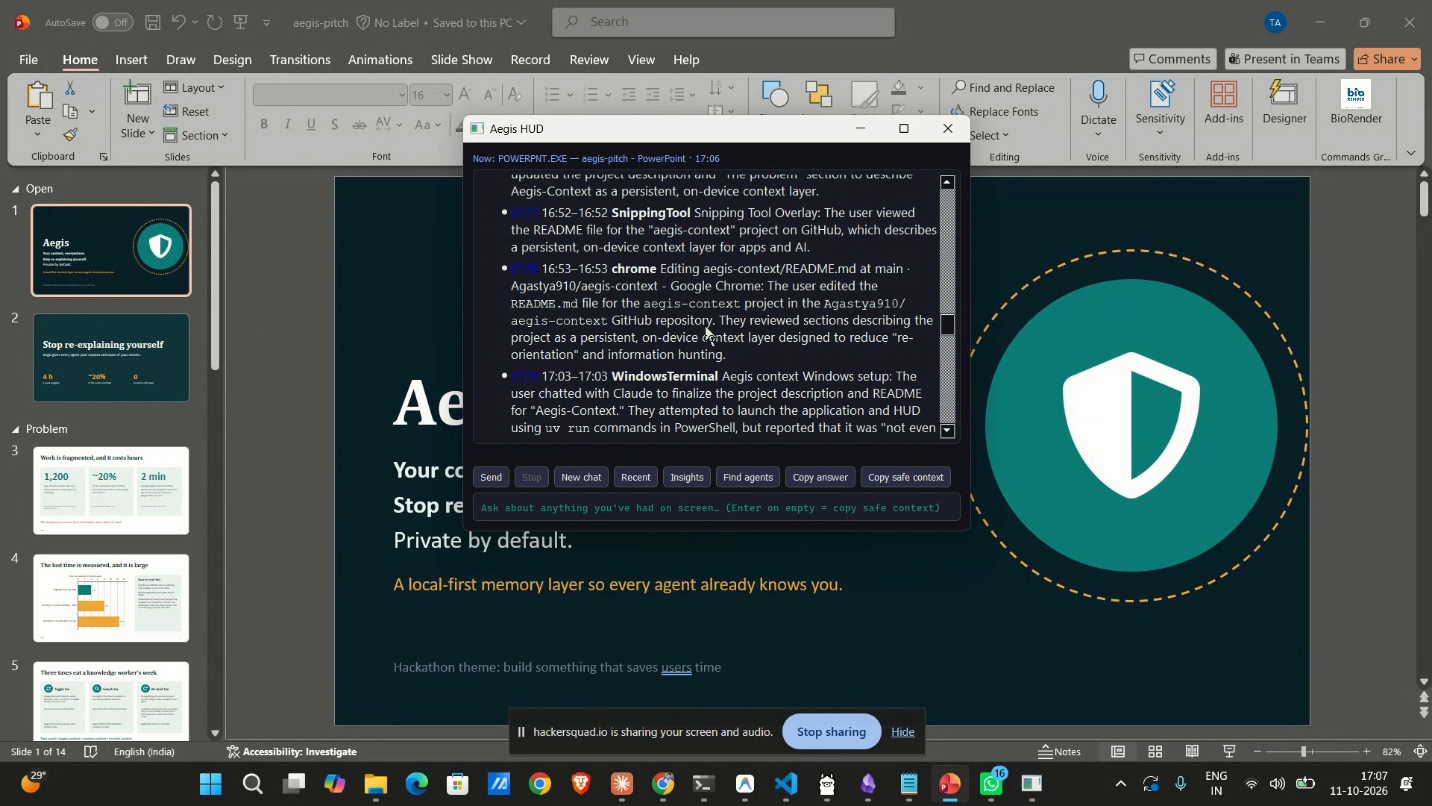
    Aegis-Context’s original overlay over PowerPoint, recalling recent work on the project’s README and terminal.

    Search. Check the response against the task that prompted the request.

    Act. Request a revision and return it to the original desktop task.

    Outcome. A revised response with changes and unresolved questions ready to review.

Response review.

Keep the selected context, specialist request, and returned work together. The user chooses which desktop material to share.

Specialist shortlist

Deliverable: A specialist shortlist with information requirements for each candidate.
Review criteria: Use this summary only. List additional information the specialist needs so I can choose what to share.

Original prototype by Jerry Wang and Agastya. The desktop overlay offers controls to find Agents or copy recalled context.

Watch the original demoView the project source
Specialist response

Deliverable: A specialist response with its request, approved sources, and unanswered questions.

Review criteria: Keep all unselected context on my desktop. Ask me before expanding the brief.

Response review

Deliverable: A revised response with changes and unresolved questions ready to review.

Review criteria: Show what changed and what is still uncertain. Let me decide how to use the response.

Similar articles

All customer stories
TechnologyCharlotteTechnologyPrecedentTechnologyAxolotl